llms.txt vs robots.txt: What's the Difference and Do You Need Both?
robots.txt controls which pages crawlers can access. llms.txt tells AI systems what your site is about. They solve completely different problems — here's when you need each.
The Confusion Everyone Has
When llms.txt started appearing on major websites in 2025, the SEO world immediately called it "robots.txt for AI." That comparison is catchy but deeply misleading — and understanding why matters for how you optimize your site.
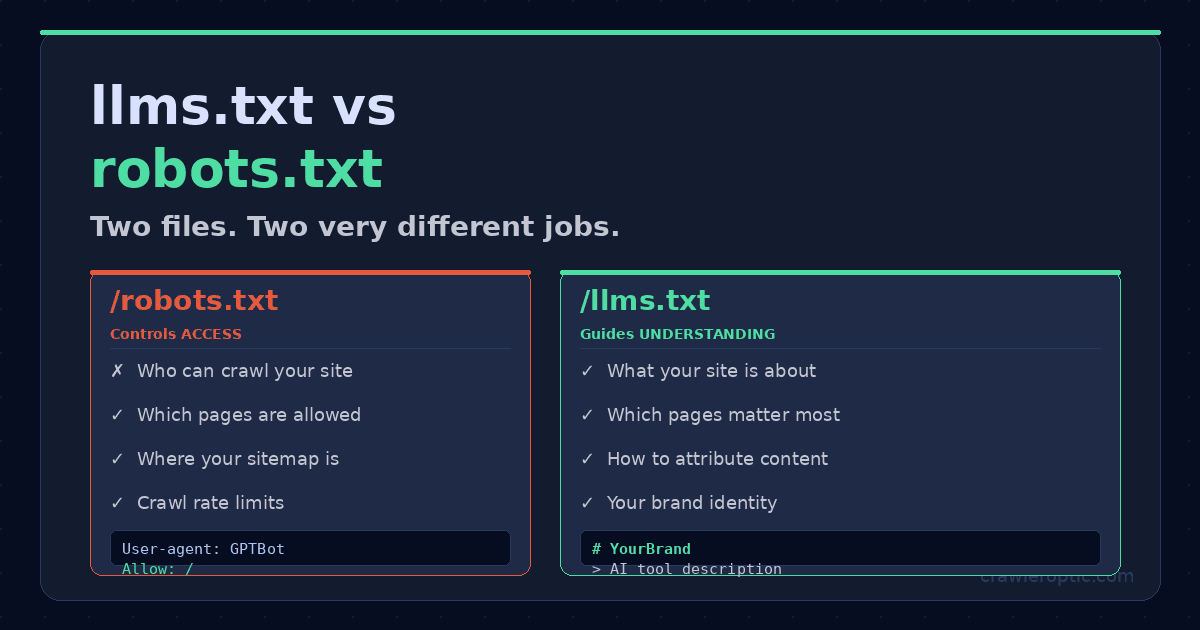
robots.txt controls access. It tells crawlers what they're allowed to visit.
llms.txt communicates meaning. It tells AI systems what your site is about and how to represent it accurately.
These are fundamentally different problems. And yes — in 2026, you need both.
Generate your llms.txt file in seconds at CrawlerOptic. Your robots.txt is already built into your server — but most sites have it configured wrong for AI crawlers.
robots.txt: The Access Control File
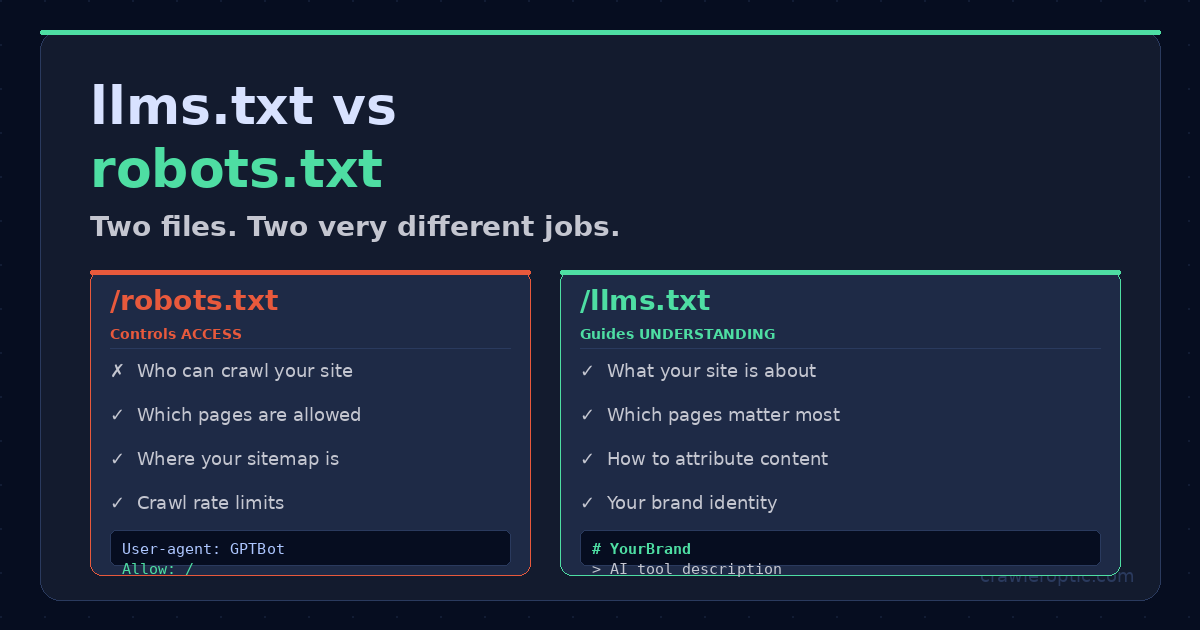 robots.txt controls who can access your site. llms.txt tells AI systems what your site is about. These solve completely different problems.
robots.txt has been a web standard since 1994. Every major search engine respects it. It lives at yourdomain.com/robots.txt and uses a simple syntax to tell crawlers which pages they can and cannot visit.
A basic robots.txt looks like this:
User-agent: *
Allow: /
Disallow: /admin/
Disallow: /api/

Sitemap: https://www.yourdomain.com/sitemap.xml
This tells all crawlers: "You can visit everything except /admin/ and /api/. Here's my sitemap."
What robots.txt Controls
- Which URLs can be crawled
- Which crawlers have access to which sections
- Where your sitemap is located
- Crawl rate limits (optional)
What robots.txt Does NOT Control
- How AI systems interpret your content
- Which pages get cited in AI answers
- Whether your content is used for AI training
- How accurately AI represents your brand
This is the gap that llms.txt addresses.
llms.txt: The AI Communication File
llms.txt is a newer, emerging standard that serves an entirely different purpose. Instead of controlling access, it provides structured context. It lives at yourdomain.com/llms.txt and uses Markdown format to give AI systems a clean, accurate briefing about your site.
A well-structured llms.txt looks like this:
# YourBrand

> A brief, accurate description of what your site is and who it serves.

## About
- **URL**: https://www.yourdomain.com
- **Type**: [SaaS / Blog / E-commerce / etc.]
- **Primary Topic**: [Your main subject area]

## Key Pages
- [Homepage](https://www.yourdomain.com/): Main product or service
- [Blog](https://www.yourdomain.com/blog): Guides and tutorials
- [About](https://www.yourdomain.com/about): Company information

## Content Categories
- Getting Started guides
- Technical tutorials
- Industry analysis
What llms.txt Does
- Tells AI crawlers exactly what your site is about
- Highlights your most important pages
- Provides accurate brand identity information
- Reduces misattribution and incorrect AI summaries
- Guides AI systems to your authoritative content
Side-by-Side Comparison
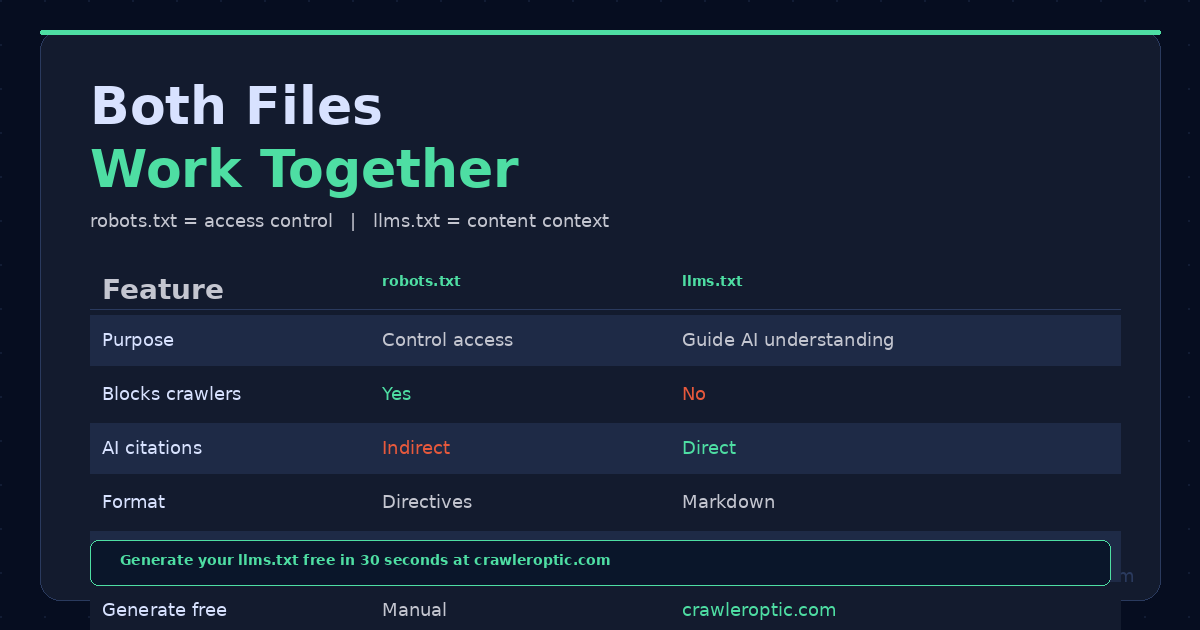 Full feature comparison between robots.txt and llms.txt — both are required for complete AI optimization in 2026.
| Feature | robots.txt | llms.txt |
|---|---|---|
| Purpose | Control crawler access | Guide AI content understanding |
| Standard status | Official web standard (1994) | Emerging proposal (2024–) |
| Respected by Google | Yes, strictly | Not used by Google Search |
| Respected by GPTBot | Yes, for access | Yes, for content context |
| Respected by ClaudeBot | Yes, for access | Growing adoption |
| Location | /robots.txt | /llms.txt |
| Format | Plain text directives | Markdown |
| Can block crawlers | Yes | No |
| Affects AI citations | Indirectly (via blocking) | Directly (via context) |
| Time to implement | Minutes | Seconds (use CrawlerOptic) |
The Critical robots.txt Mistake Killing AI Visibility
Here's the single most common technical error that destroys AI visibility: accidentally blocking AI crawlers in robots.txt.
In 2026, three major AI crawlers visit your site:
GPTBot (OpenAI/ChatGPT)
ClaudeBot (Anthropic/Claude)
Google-Extended (Google/Gemini)
If your robots.txt has a blanket Disallow: / rule under User-agent: *, all three are blocked. Many WordPress plugins and security tools add this accidentally.
The fix: explicitly allow AI crawlers in your robots.txt:
User-agent: GPTBot
Allow: /

User-agent: ClaudeBot
Allow: /

User-agent: Google-Extended
Allow: /

User-agent: *
Allow: /
Disallow: /admin/
Disallow: /api/

Sitemap: https://www.yourdomain.com/sitemap.xml
Do You Actually Need llms.txt in 2026?
This is the honest answer: it depends on what you're optimizing for.
If you're optimizing for Google Search rankings alone, llms.txt has no direct impact. Google's John Mueller has confirmed that Google Search does not use llms.txt as a ranking signal.
If you're optimizing for AI citation visibility — being referenced in ChatGPT answers, Claude responses, Perplexity results, and Google's AI Overviews — then llms.txt provides real value. It gives AI systems a clean, accurate summary that reduces misattribution and helps them understand your content hierarchy without having to crawl every page.
The bottom line: robots.txt is mandatory. Without it, you have no control over crawler access. llms.txt is strategic. It's your opportunity to shape how the fastest-growing search channel understands your brand.
For most content publishers, SaaS companies, and e-commerce sites in 2026, implementing both takes less than 30 minutes — and the upside is significant.
How to Set Up Both Files Correctly
Step 1: Audit your robots.txt
Visit yourdomain.com/robots.txt in your browser. Verify AI crawlers aren't blocked. Add explicit Allow: / rules for GPTBot, ClaudeBot, and Google-Extended if they're not present.
Step 2: Generate your llms.txt
Use the free generator at CrawlerOptic. Enter your URL, get a professionally formatted llms.txt in seconds, download it, and place it at the root of your domain.
Step 3: Verify both files are accessible
Check yourdomain.com/robots.txt and yourdomain.com/llms.txt in your browser. Both should load as plain text without errors.
Step 4: Submit to Google Search Console
While llms.txt isn't used by Google Search, submitting your sitemap through Google Search Console ensures Googlebot discovers all your pages quickly — which indirectly helps AI visibility through Google's AI Overviews.
The Bottom Line
robots.txt and llms.txt are not competitors — they're complements. One controls access, the other shapes understanding. In 2026, you need both working correctly to maximize visibility across traditional search and the rapidly growing AI answer ecosystem.
Start with the free llms.txt generator at CrawlerOptic. It takes 30 seconds and could make the difference between your site being cited in AI answers or being invisible to the platform that over a billion people now use for research.
Generate your llms.txt instantly at CrawlerOptic — free, no signup required.