llms-full.txt vs llms.txt: Which One Does Your Website Need?
llms.txt gives AI crawlers a summary of your site. llms-full.txt gives them everything. Here's the difference, when to use each, and how to implement both correctly.
Two Files, Two Purposes
The llms.txt ecosystem in 2026 has two distinct files that serve different purposes, and most website owners only know about one of them.
llms.txt — A structured summary file. Think of it as a smart table of contents that tells AI crawlers what your site is about, where your important pages are, and how to prioritize their crawling. Concise, fast to read, universally useful.
llms-full.txt — A comprehensive content export. Think of it as a full briefing document that gives AI systems the actual text of your most important pages — not just links to them. Larger, more detailed, and more useful for AI systems that want to deeply understand your content.
Both files live at your domain root. Both are plain text. Both use Markdown format. But they serve fundamentally different use cases.
Generate the standard llms.txt for free at CrawlerOptic. For llms-full.txt, this guide will walk you through building it.
llms.txt: The Structured Summary
llms.txt is the base standard — the one you should implement first on any website.
What It Contains
A properly formatted llms.txt includes:
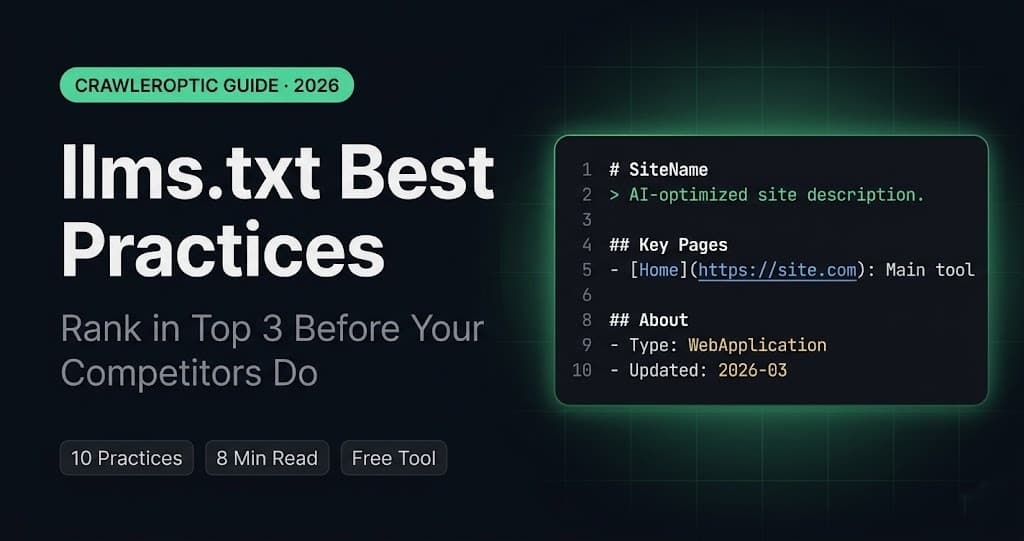
# Site Name

> One-line description of what the site does.

## About
- **URL**: https://www.yourdomain.com
- **Type**: WebApplication / Blog / E-commerce
- **Primary Language**: English

## Key Pages
- [Home](https://www.yourdomain.com/): Description
- [Blog](https://www.yourdomain.com/blog): Description
- [Tool](https://www.yourdomain.com/tool): Description

## Recent Content
- [Post Title](URL): One-sentence summary
- [Post Title](URL): One-sentence summary

## Topics Covered
Main topics, keywords, subject areas

## Permissions
Crawling and citation permissions statement
Who Reads llms.txt
AI crawlers that access llms.txt use it as a starting point — a roadmap that helps them understand your site without having to crawl every page first. This is particularly valuable for:
- New domains that haven't been fully indexed yet
- Large sites where crawlers need guidance on prioritization
- Sites with significant client-side rendering that may obscure content
- Any site that wants to control how AI systems represent their brand
File Size and Response Time
llms.txt should stay under 100KB. Most well-structured files are under 10KB. Fast response time matters — AI crawlers that encounter slow or oversized files may deprioritize them.
llms-full.txt: The Complete Content Export
llms-full.txt is the extended version — a comprehensive document that includes the full text of your most important or recent content.
What It Contains
# Site Name — Full Content Export

> Complete content briefing for AI systems.

**Last Updated**: 2026-03-27
**Total Articles**: 10

---

## Article 1: [Title](URL)

**Published**: 2026-03-20
**Category**: AI SEO
**Tags**: llms.txt, AI crawlers, GEO

[Full article text here — every paragraph, every heading, every fact]

---

## Article 2: [Title](URL)

**Published**: 2026-03-15
**Category**: Technical Guide
**Tags**: Next.js, implementation

[Full article text here]

---
Who Benefits from llms-full.txt
llms-full.txt is particularly valuable for:
Documentation sites — When your content needs to be accurately referenced by AI coding assistants and technical tools, giving them the full text ensures accuracy. GitHub Copilot, Cursor, and similar tools increasingly use llms-full.txt to ingest documentation.
Research and analysis sites — Original research that you want AI systems to cite accurately benefits from full-text inclusion. Summaries can lose nuance; full text preserves it.
High-frequency content sites — News sites, newsletters, and blogs that publish daily can use llms-full.txt to give AI crawlers a fresh batch of their latest 10-20 articles without requiring the crawler to visit each URL individually.
API and developer documentation — Technical specifications, API references, and code examples that need to be precisely accurate in AI-generated coding assistance.
Side-by-Side Comparison
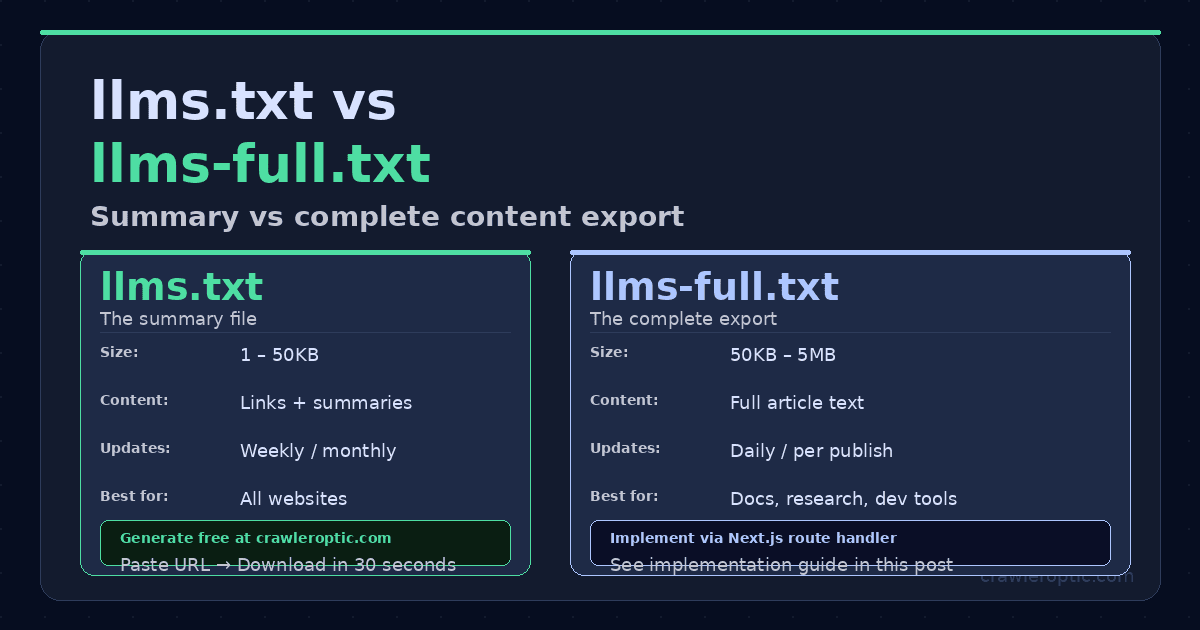
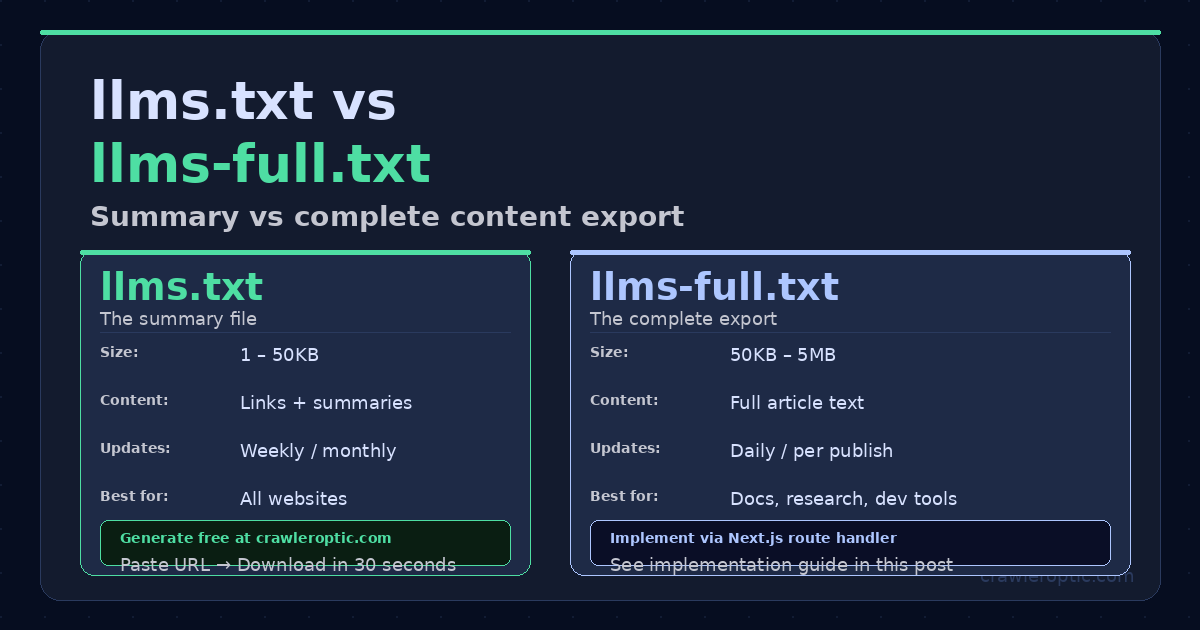 llms.txt is the concise summary all sites need. llms-full.txt is the complete content export for documentation and research sites.
| Feature | llms.txt | llms-full.txt |
|---|---|---|
| Purpose | Site overview and navigation | Full content for deep AI ingestion |
| Typical size | 1-50KB | 50KB-5MB |
| Update frequency | Weekly or monthly | Daily or with each new post |
| Content depth | Links + summaries | Full text of articles |
| Best for | All sites | Docs, research, dev tools, active blogs |
| Required | Yes (start here) | Optional but powerful |
| Generate automatically | Yes (CrawlerOptic) | Requires custom implementation |
| AI crawler adoption | Growing | Growing, especially for dev tools |
Do You Need llms-full.txt?
Ask yourself these questions:
Do you publish technical documentation? Yes → implement llms-full.txt. AI coding tools like GitHub Copilot actively use it to provide accurate answers about your product or framework.
Do you publish original research? Yes → implement llms-full.txt. Full text citation is more accurate than summary citation for nuanced research.
Do you publish more than 3 articles per week? Yes → a dynamic llms-full.txt with your latest 10 articles helps AI crawlers stay current without crawling every individual URL.
Are you a SaaS landing page or simple marketing site? Probably no → llms.txt alone is sufficient. The overhead of maintaining llms-full.txt isn't worth it for sites with minimal content.
Are you an e-commerce site? Depends → if you have a significant blog or extensive product descriptions, llms-full.txt can be valuable. For pure product pages, llms.txt is usually enough.
How to Implement llms-full.txt in Next.js
For Next.js sites, a dynamic route handler is the most effective approach:
// app/llms-full.txt/route.ts
import { getAllPosts, getPostContent } from "@/lib/blog";
import { NextResponse } from "next/server";

export async function GET() {
  const posts = getAllPosts().slice(0, 10); // latest 10 posts
  const BASE = "https://www.yourdomain.com";

  let content = `# Your Site Name — Full Content Export\n\n`;
  content += `> Complete content briefing for AI systems and language models.\n\n`;
  content += `**Last Updated**: ${new Date().toISOString().split("T")[0]}\n`;
  content += `**Articles Included**: ${posts.length}\n\n---\n\n`;

  for (const post of posts) {
    const fullContent = getPostContent(post.slug);
    content += `## ${post.title}\n\n`;
    content += `**URL**: ${BASE}/blog/${post.slug}\n`;
    content += `**Published**: ${post.date}\n`;
    content += `**Tags**: ${post.tags.join(", ")}\n\n`;
    content += `${fullContent}\n\n---\n\n`;
  }

  return new NextResponse(content, {
    headers: {
      "Content-Type": "text/plain; charset=utf-8",
      "Cache-Control": "public, max-age=3600",
    },
  });
}
This generates a fresh llms-full.txt on each request (cached for 1 hour) containing the full text of your 10 most recent posts.
Best Practices for Both Files
Keep both files accessible without authentication. AI crawlers cannot log in. Any content behind authentication is invisible.
Use UTF-8 encoding. Both files should be served as text/plain; charset=utf-8.
Serve with appropriate cache headers. llms.txt can cache for 24 hours. llms-full.txt for content sites should cache for 1 hour maximum.
Keep formatting clean. Use standard Markdown. Avoid complex tables or nested formatting that might confuse parsers.
Link both in your sitemap reference. Some AI crawlers look for auxiliary files listed in robots.txt:
Sitemap: https://www.yourdomain.com/sitemap.xml
# Some crawlers also check these:
# https://www.yourdomain.com/llms.txt
# https://www.yourdomain.com/llms-full.txt
Test accessibility regularly. Run curl https://yourdomain.com/llms.txt and curl https://yourdomain.com/llms-full.txt monthly to verify both files are returning correctly.
Start with llms.txt Today
For most websites in 2026, the priority order is clear:
- Start with
llms.txt— essential, quick, broadly valuable. Generate yours free at CrawlerOptic. - Add
llms-full.txt— if you have documentation, active publishing, or original research that benefits from full-text AI ingestion.
Both files together give AI crawlers everything they need to accurately understand, represent, and cite your content across ChatGPT, Gemini, Claude, and Perplexity.
Generate your llms.txt in seconds: CrawlerOptic — free, no account required.